
A changing, digital world...Meets a connected, confident you
- A better relationship with your phone, tablet, or computer
- Age means nothing. We all need connection with loved ones
- Protect yourself from scams & online fraud
- Skills & confidence to do it yourself

The part most people worry about
At Tech Peace, we are all about empowerment. We don't want you to just tolerate technology, we want you to thrive with it. And we make the following promises...
We do not rush you
Sessions take as long as they take. If you want something explained a third time, ask — that is the job, and no one here will sigh.
No question is too small
How do I make the text bigger? Is this email real? How do I answer a video call? These are the questions we most like getting.
You keep control
You type your own passwords. You can end a screen-sharing session instantly. Nothing changes on your devices without you saying yes.
Your family only sees what you allow
If you want your daughter kept in the loop, we send her a summary — never your email, your photos, or your passwords. That is your business.
Ways We Can Help
Whatever you technology needs, Tech Peace is your biggest supporter
Protect & Empower
Keep your digital life safe.
We check suspicious messages before you click, and empower you with the skills needed to avoic malicious cyber attacks.
- Scam and phishing verification
- Training on common tech tools
- Password and login security
- Getting you to be independent
- Account and device security reviews
- Privacy and social media settings
- Home Wi-Fi security
Advocate
What makes us differentWe'll handle the frustrating technology companies for you.
Most companies ask what's wrong with your device. We ask what you're trying to accomplish — then empower you to navigate independently or with our patient assistance.
- Disputing a charge or cancelling a subscription
- Calling your internet or phone company
- Navigating Apple, Google, and Amazon support
- Booking doctor appointments in patient portals
- Recovering a locked Apple or Google account
- Reminding or helping set up telehealth visits before they start
Support
Keep your technology working.
When the printer won't print or the email won't send, you call one number and a patient human sorts it out — however long it takes.
- Locked-out account recovery
- New device setup and transfers
- Phones, tablets, and computers
- Software updates and backups
- Wi-Fi, printers, and smart TVs
- Unhurried, plain-English coaching
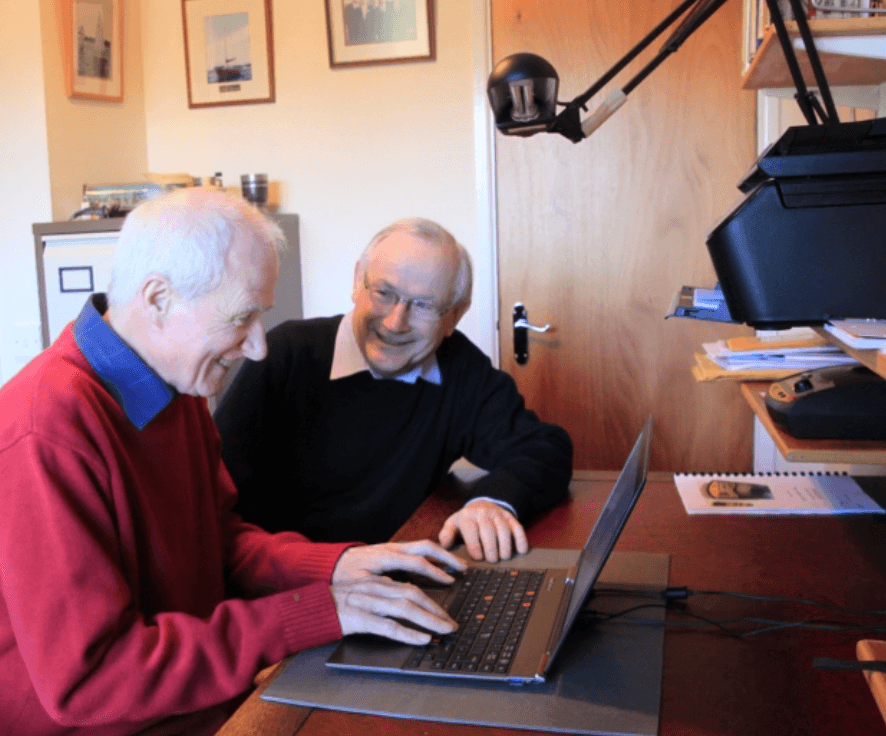
We would rather teach you than keep you calling
Some clients want us to handle everything. Others want to learn it themselves. Both are fine, and we are here every step of the way.
- Video calls with your grandchildren
- Making text and buttons bigger
- Photos: taking, finding, and sharing them
- Online banking, safely
- Booking doctor appointments online
- Streaming films and music
- Group texts with the family
- Using AI assistants without risk
We also run free classes every month through Tech Peace Academy. See what is coming up.
How protected are you, really?
Ten plain statements. Answer each one honestly and we will show you a Protection Score out of 100, tell you which specific gaps stood out, and explain what each one means for your safety online.
A few of the statements:
- “I've been scammed before, or came very close to being scammed.” (Yes / No)
- “I often see videos or content online and can't tell whether it's real or fake.” (Agree / Disagree)
- “I don't always have access to help the moment I have a tech problem.” (Agree / Disagree)
It opens right here — you will not lose this page. We ask for your name, email, and phone at the end so we can send your written results and answer any questions. No password, no payment, no obligation.

What happens when you we connect with you
We make a good profile of your technology use, your needs, intentions, and how to best empower you
- 1
Assessment of needs
The goal on this first connection is understand who is the person using the technology, what devices do you use the most, and how can we best aid you to use it more confidently
- 2
A search for pain points and opportunities
We make sure to understand your Why. Are you looking to connect more with loved ones, fix common tech issues, or just looking to browse the web more securely.
- 3
Need help? We fix it with you, not at you
Remotely or in your home, you stay in control and you see everything we do. We explain each step in plain English, as many times as you like.
- 4
You get it in writing
A plain-English summary of what we did and what changed. If your family is involved, they can receive a high-level Peace of Mind Report — with your permission, and never your passwords.
Trust is the product, so we put the rules in writing
Inviting someone into your digital life is a serious thing. These are the standards we hold ourselves to — and they are also how you can tell a real Tech Peace technician from someone impersonating one.
We will never
- Store your password
- Ask you to transfer money, ever
- Ask for gift cards or cryptocurrency
- Ask for access to your financial accounts unless you need help and are present
- Make a purchase without your explicit say-so
- Pressure you into buying something
- Use scare tactics to sell you security
If someone does any of the above and claims to be from Tech Peace, they are not. Hang up and call our main number yourself.
Every Tech Peace technician
- Passes a background check before their first visit
- Shows verifiable company identification
- Follows a documented, written security procedure
- Uses audited remote-access software only
- Asks permission before touching any device
- Records what was done in every session, in plain English
- Takes the least access needed to solve the problem
On passwords: we help you manage your credentials without ever knowing them. You type them; we look away. If you want a password manager, you hold the master password — not us.
Most tech support fixes devices. We look after people.
There is nothing wrong with a repair counter — sometimes a repair is exactly what you need. But a repair does not stop the next suspicious email, and it does not sit on hold with the cable company for you.
| Aspect | Typical tech support | Tech Peace |
|---|---|---|
| The first question asked | What is wrong with the device? | What are you trying to accomplish? |
| What gets fixed | The machine in front of them | The machine, the accounts, and the situation |
| Who you speak to | Whoever is next in the queue | People who know your setup and remember you |
| Scope of help | Hardware and software | Devices, accounts, scams, appointments, phone calls on your behalf |
| When something looks suspicious | Not really their department | Send it to us — safe, suspicious, or scam |
| The relationship | One transaction at a time | Ongoing, with a written record of everything done |
| Who it is designed for | The general public | Older adults and their families, specifically |
Worth an afternoon of your time
Written for you, not for technicians. Printable, and free — no email address required.
Safety7 min read
Five Ways to Stay Safe Online
Five habits that stop the overwhelming majority of online trouble. None of them require you to be technical, and all five can be done this week.
Read the articleUpdated August 12, 2026
Scams9 min read
How to Detect Scams in Your Email
A real message and a fake one can look almost identical. Here is exactly where to look, in what order, and what to do when you are still not sure.
Read the articleUpdated August 26, 2026Confidence8 min read
Ways Being Tech Savvy Could Improve Your Life
Safety is the reason people call us. This is the reason they stay: video calls with grandchildren, appointments without the phone tree, and a world that stays open to you.
Read the articleUpdated September 9, 2026